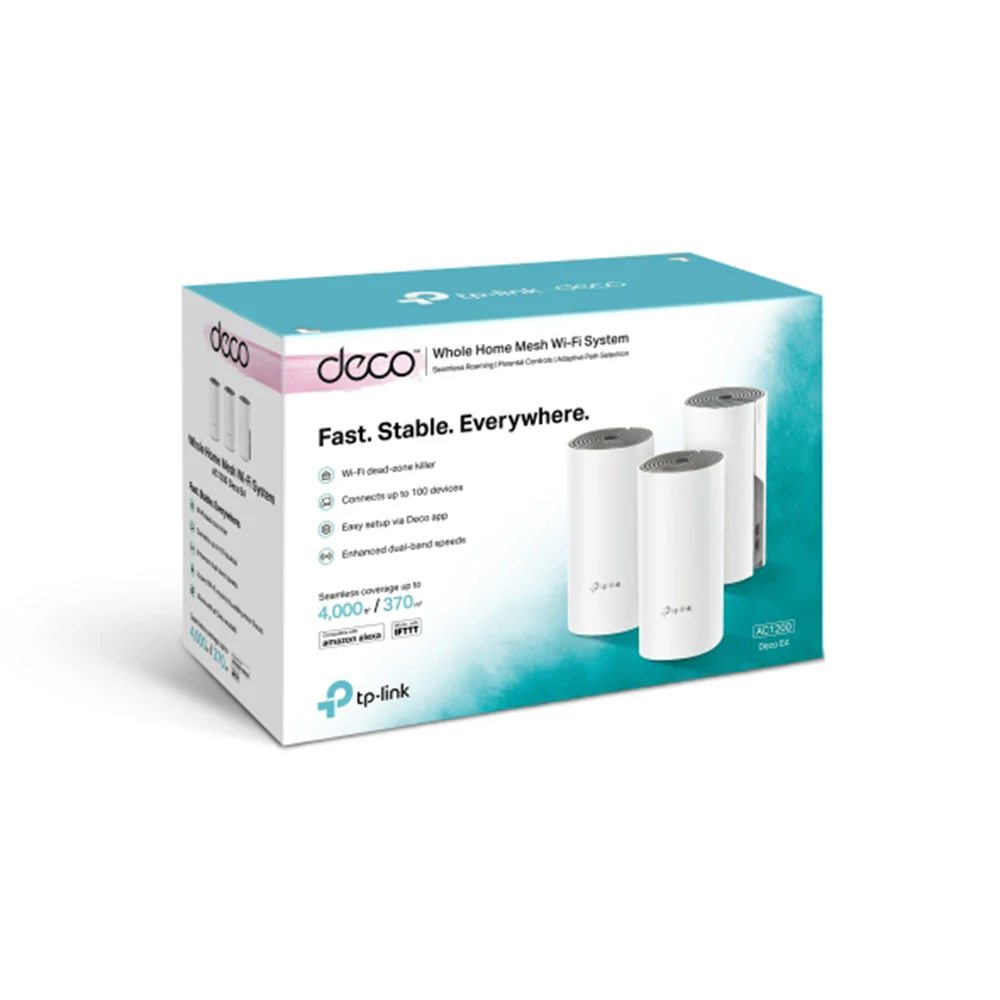
TP-Link AC1200 Deco E4 Whole Home Mesh Wi-Fi System
- Deco uses a system of units to achieve seamless whole-home Wi-Fi coverage — eliminate weak signal areas once and for all!
- With advanced Deco Mesh Technology, units work together to form a unified network with a single network name. Devices automatically switch between Decos as you move through your home for the fastest possible speeds.
- A Deco E4 three-pack delivers Wi-Fi to an area of up to 4,000 square feet (EU version). And if that’s not enough, simply add more Decos to the network anytime to increase coverage.
- Deco E4 provides fast and stable connections with speeds of up to 1167 Mbps and works with the major internet service provider (ISP) and modem.
- Deco can handle traffic from even the busiest of networks, providing lag-free connections for up to 100 devices.
- Parental Controls limits online time and block inappropriate websites according to unique profiles created for each family member.
- Setup is easier than ever with the Deco app there to walk you through every step.
| WIRELESS | |
|---|---|
| Standards |
Wi-Fi 5 IEEE 802.11ac/n/a 5 GHz IEEE 802.11n/b/g 2.4 GHz |
| WiFi Speeds |
AC1200 5 GHz: 867 Mbps (802.11ac) 2.4 GHz: 300 Mbps (802.11n) |
| WiFi Range |
3-4 Bedroom Houses (3-pack) TP-Link Mesh Technology Optional Ethernet backhaul work together to link Deco units to provide seamless coverage 2× Antennas (Internal) Multiple antennas form a signal-boosting array to cover more directions and large areas Beamforming Concentrates wireless signal strength towards clients to expand WiFi range |
| WiFi Capacity |
Medium Dual-Band Distribute devices to different bands for optimal performance MU-MIMO Silmultaneously communicates with multiple MU-MIMO clients |
| Working Modes | Router Mode Access Point Mode |
| HARDWARE | |
|---|---|
| Processor | Qualcomm CPU |
| Ethernet Ports | 2× 10/100 Mbps Ports *Per Deco Unit Supports WAN/LAN auto-sensing |
| Buttons | Reset Button |
| Power | 12 V ⎓ 1 A |
| SECURITY | |
|---|---|
| WiFi Encryption | WPA WPA2 |
| Network Security | SPI Firewall Access Control |
| Guest Network | 1× 5 GHz Guest Network 1× 2.4 GHz Guest Network |
| SOFTWARE | |
|---|---|
| Protocols | IPv4 IPv6 |
| Parental Controls | URL Filtering Time Controls |
| WAN Types | Dynamic IP Static IP PPPoE PPTP L2TP |
| Quality of Service | QoS by Device |
| Cloud Service | OTA Firmware Upgrade TP-Link ID DDNS |
| NAT Forwarding | Port Forwarding Port Triggering DMZ UPnP |
| IPTV | IGMP Proxy IGMP Snooping Bridge Tag VLAN |
| DHCP | Address Reservation DHCP Client List Server |
| DDNS | TP-Link |
| Management | Deco App |
| PHYSICAL | |
|---|---|
| Dimensions (W×D×H) | 3.6 × 3.6 × 7.5 in (90.7 × 90.7 × 190 mm) |
| Package Contents |
Deco E4 (3-pack) 3 Deco E4R Units 1 RJ45 Ethernet Cable 3 Power Adapters 1 Quick Installation Guide Deco E4 (2-pack) 2 Deco E4R Units 1 RJ45 Ethernet Cable 2 Power Adapters 1 Quick Installation Guide Deco E4 (1-pack) 1 Deco E4R Unit 1 RJ45 Ethernet Cable 1 Power Adapter 1 Quick Installation Guide |
$199.49
TP-Link AC1200 Deco E4 Whole Home Mesh Wi-Fi System—
$199.49
Product Information
Product Information
Shipping & Returns
Shipping & Returns
Description
- Deco uses a system of units to achieve seamless whole-home Wi-Fi coverage — eliminate weak signal areas once and for all!
- With advanced Deco Mesh Technology, units work together to form a unified network with a single network name. Devices automatically switch between Decos as you move through your home for the fastest possible speeds.
- A Deco E4 three-pack delivers Wi-Fi to an area of up to 4,000 square feet (EU version). And if that’s not enough, simply add more Decos to the network anytime to increase coverage.
- Deco E4 provides fast and stable connections with speeds of up to 1167 Mbps and works with the major internet service provider (ISP) and modem.
- Deco can handle traffic from even the busiest of networks, providing lag-free connections for up to 100 devices.
- Parental Controls limits online time and block inappropriate websites according to unique profiles created for each family member.
- Setup is easier than ever with the Deco app there to walk you through every step.
| WIRELESS | |
|---|---|
| Standards |
Wi-Fi 5 IEEE 802.11ac/n/a 5 GHz IEEE 802.11n/b/g 2.4 GHz |
| WiFi Speeds |
AC1200 5 GHz: 867 Mbps (802.11ac) 2.4 GHz: 300 Mbps (802.11n) |
| WiFi Range |
3-4 Bedroom Houses (3-pack) TP-Link Mesh Technology Optional Ethernet backhaul work together to link Deco units to provide seamless coverage 2× Antennas (Internal) Multiple antennas form a signal-boosting array to cover more directions and large areas Beamforming Concentrates wireless signal strength towards clients to expand WiFi range |
| WiFi Capacity |
Medium Dual-Band Distribute devices to different bands for optimal performance MU-MIMO Silmultaneously communicates with multiple MU-MIMO clients |
| Working Modes | Router Mode Access Point Mode |
| HARDWARE | |
|---|---|
| Processor | Qualcomm CPU |
| Ethernet Ports | 2× 10/100 Mbps Ports *Per Deco Unit Supports WAN/LAN auto-sensing |
| Buttons | Reset Button |
| Power | 12 V ⎓ 1 A |
| SECURITY | |
|---|---|
| WiFi Encryption | WPA WPA2 |
| Network Security | SPI Firewall Access Control |
| Guest Network | 1× 5 GHz Guest Network 1× 2.4 GHz Guest Network |
| SOFTWARE | |
|---|---|
| Protocols | IPv4 IPv6 |
| Parental Controls | URL Filtering Time Controls |
| WAN Types | Dynamic IP Static IP PPPoE PPTP L2TP |
| Quality of Service | QoS by Device |
| Cloud Service | OTA Firmware Upgrade TP-Link ID DDNS |
| NAT Forwarding | Port Forwarding Port Triggering DMZ UPnP |
| IPTV | IGMP Proxy IGMP Snooping Bridge Tag VLAN |
| DHCP | Address Reservation DHCP Client List Server |
| DDNS | TP-Link |
| Management | Deco App |
| PHYSICAL | |
|---|---|
| Dimensions (W×D×H) | 3.6 × 3.6 × 7.5 in (90.7 × 90.7 × 190 mm) |
| Package Contents |
Deco E4 (3-pack) 3 Deco E4R Units 1 RJ45 Ethernet Cable 3 Power Adapters 1 Quick Installation Guide Deco E4 (2-pack) 2 Deco E4R Units 1 RJ45 Ethernet Cable 2 Power Adapters 1 Quick Installation Guide Deco E4 (1-pack) 1 Deco E4R Unit 1 RJ45 Ethernet Cable 1 Power Adapter 1 Quick Installation Guide |


